Everything that has to add up, in one place.
Wedding Overview is built around one question: what do the two of you need to know or do right now to keep planning calmly?
Three stories set Wedding Overview apart from a spreadsheet or a stand-alone wedding website: the American route to the altar, the day itself down to the minute, and guest details that stay private.
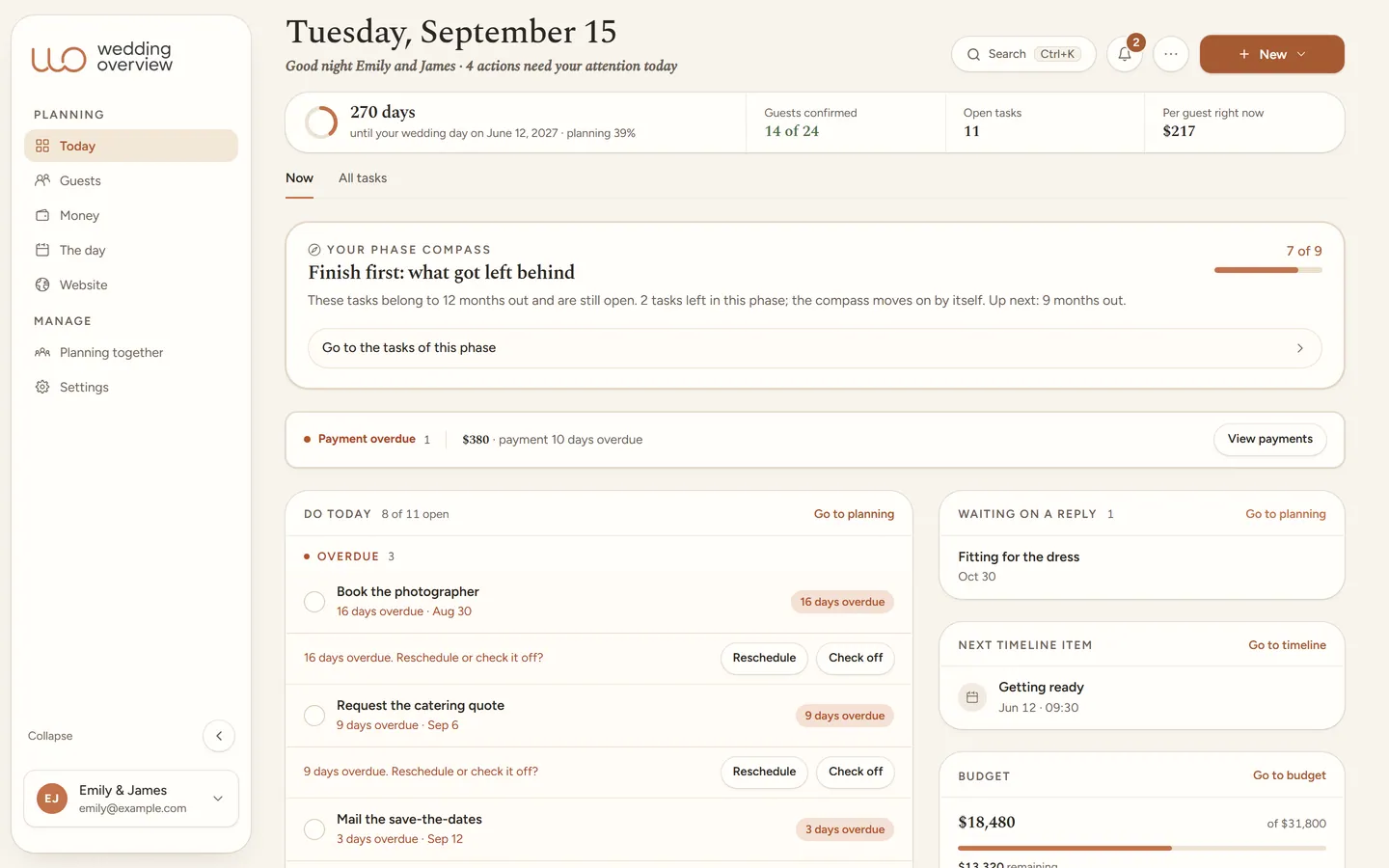
 172 tasks · marriage license reminders included
The American route is built in.
Getting married is also paperwork, and that paperwork has deadlines nobody tells you about in time. The checklist holds 172 tasks counted back from your wedding date, including the marriage license steps and the signed license going back to the county clerk. The rules themselves differ by county, so each step tells you what to look up and gives you a place to keep the answer.
Marriage license and county clerk
Look up the rules for your county, apply together with ID, pick the license up in time, and get the signed one back afterward. Each step is a task in your plan, counted back from your date.
Witnesses and paperwork
Line up witnesses if your state requires them, bring the right ID, and finish the prenuptial agreement on time if you want one.
Ceremony and who marries you
A worksheet for the person leading your ceremony, whether that is your clergy or a friend ordained for the day: how you met, what may and may not be said, and the vows you will exchange.
The American extras
Rehearsal dinner, hotel room blocks for out-of-town guests, welcome bags, and the name change after the day. In the set, each with its own date.
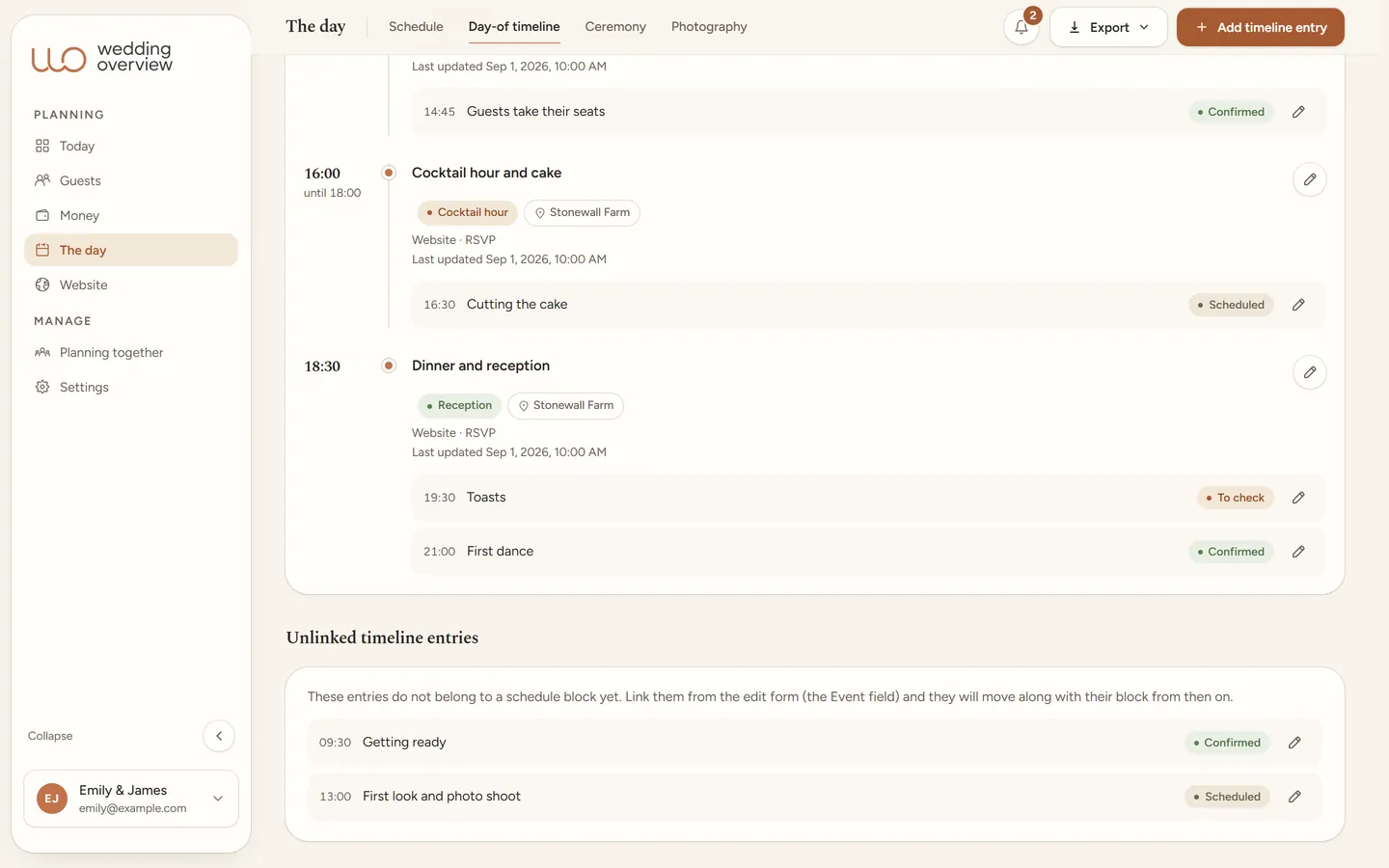
The day itself, down to the minute.
Most tools stop the moment the RSVPs are in. That is exactly where the day begins. The schedule your guests see and the cues behind it come from the same day-of timeline, so they cannot drift apart.
Day-of timeline and cues
Times, locations, who is responsible, vendors, instructions, and checks. Plus a plan B and the last week before.
A PDF per role
Your photographer, DJ, and day-of coordinator each get their own printout. Only what they need, not your whole wedding.
Seating chart
Several layouts side by side, drag guests to tables, see open seats, and keep dietary needs per table at hand.
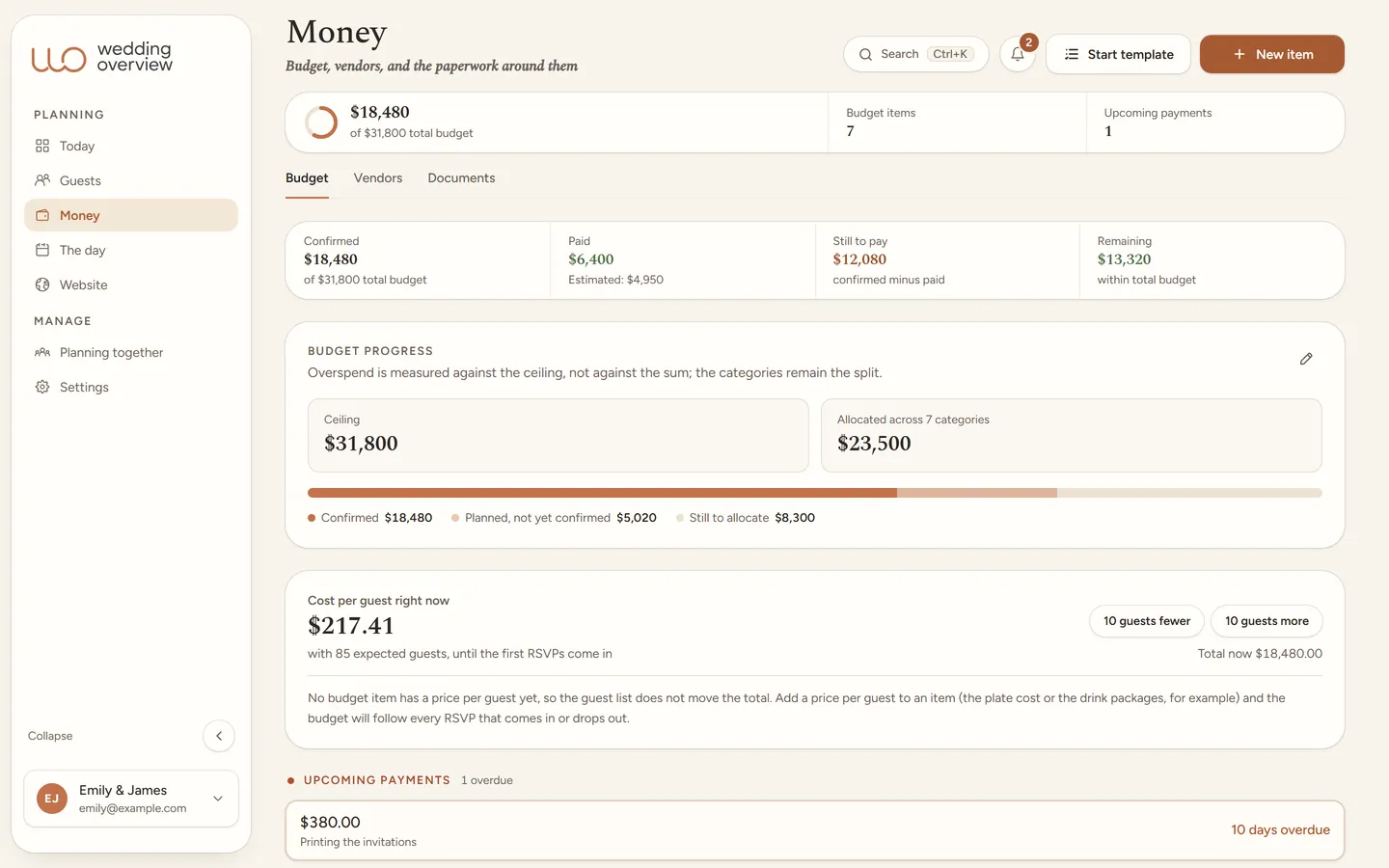
Budget and vendors
Quotes, final amounts, payment due dates, and documents with the same vendor. With a cost-per-guest line that moves with the RSVPs.
Guests, with privacy that holds up.
Dietary needs and allergies are health information. Wedding Overview treats them that way: guests share them themselves, with consent they can withdraw, and they only go out in the export you make yourselves.
Guest list and RSVP
Groups instead of loose rows, ceremony and reception guests as separate facts, and an answer per person and per event.
Paste your list in
Paste your existing guest list from Excel, Numbers, or Google Sheets. Columns are recognized, households become groups, and one button undoes the whole import.
Private details
Consent per guest, and a caterer export that only carries diet, allergy, and high chair. Pregnancy and free-text notes are never exported.
Planning together
Your partner plans as a full member. Your day-of coordinator, parents, and helpers get access per part to exactly what they need.
Photos from your guests
Guests add their photos on your wedding website without an app and without an account. You see them in the app, and guests see one another’s photos on the wall.
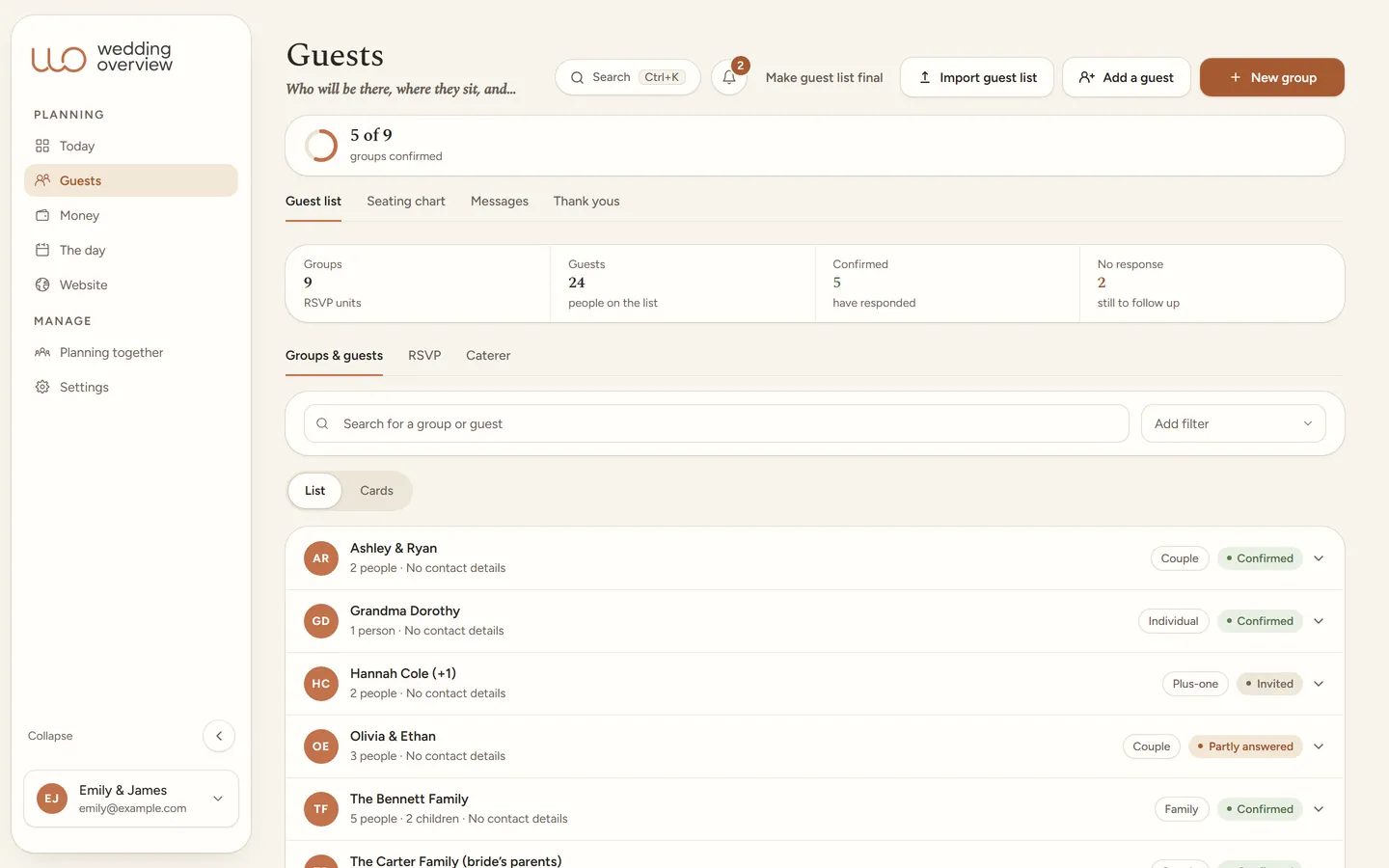 Private: only the two of you see dietary needs
No mock-ups: this is the app.
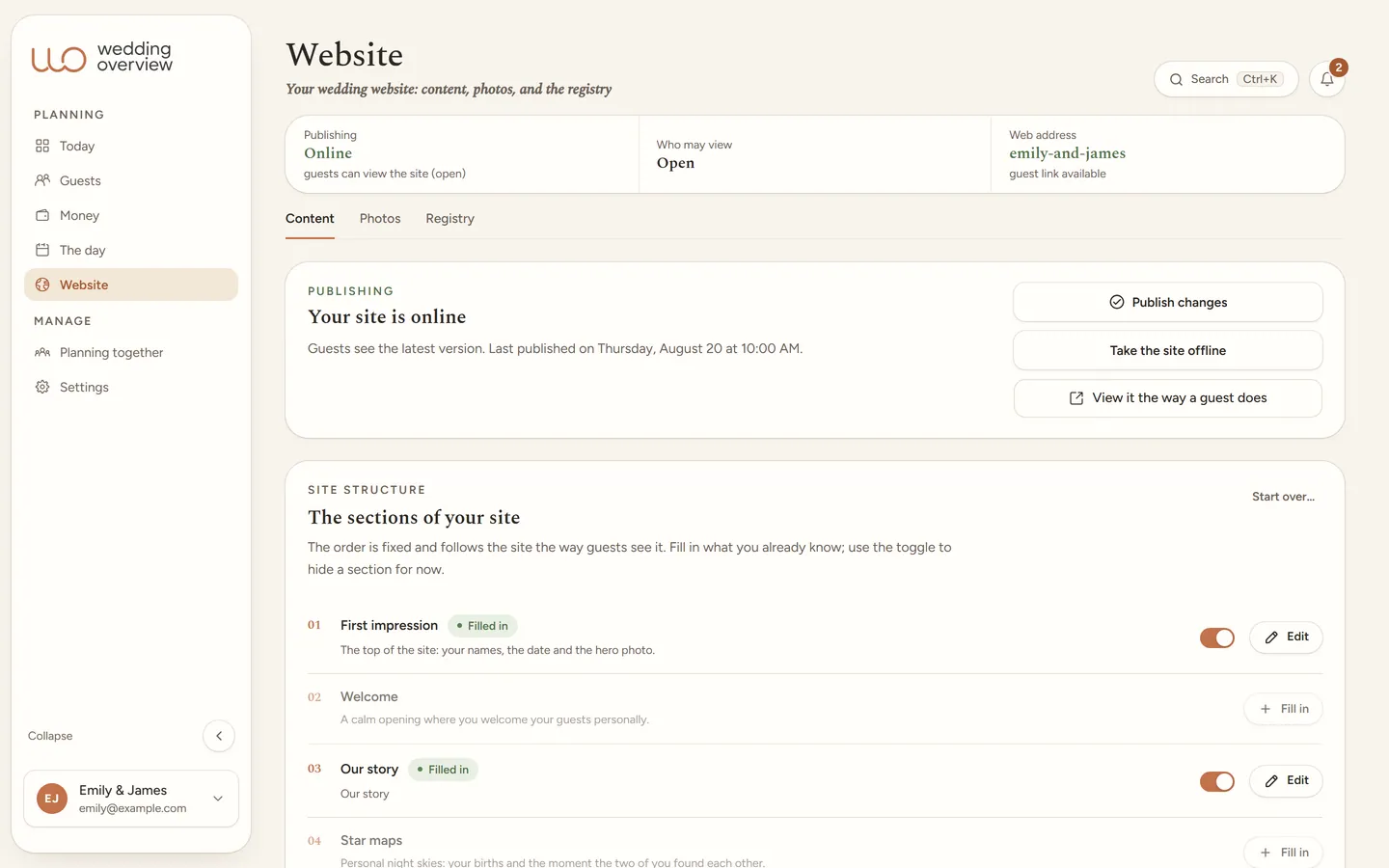
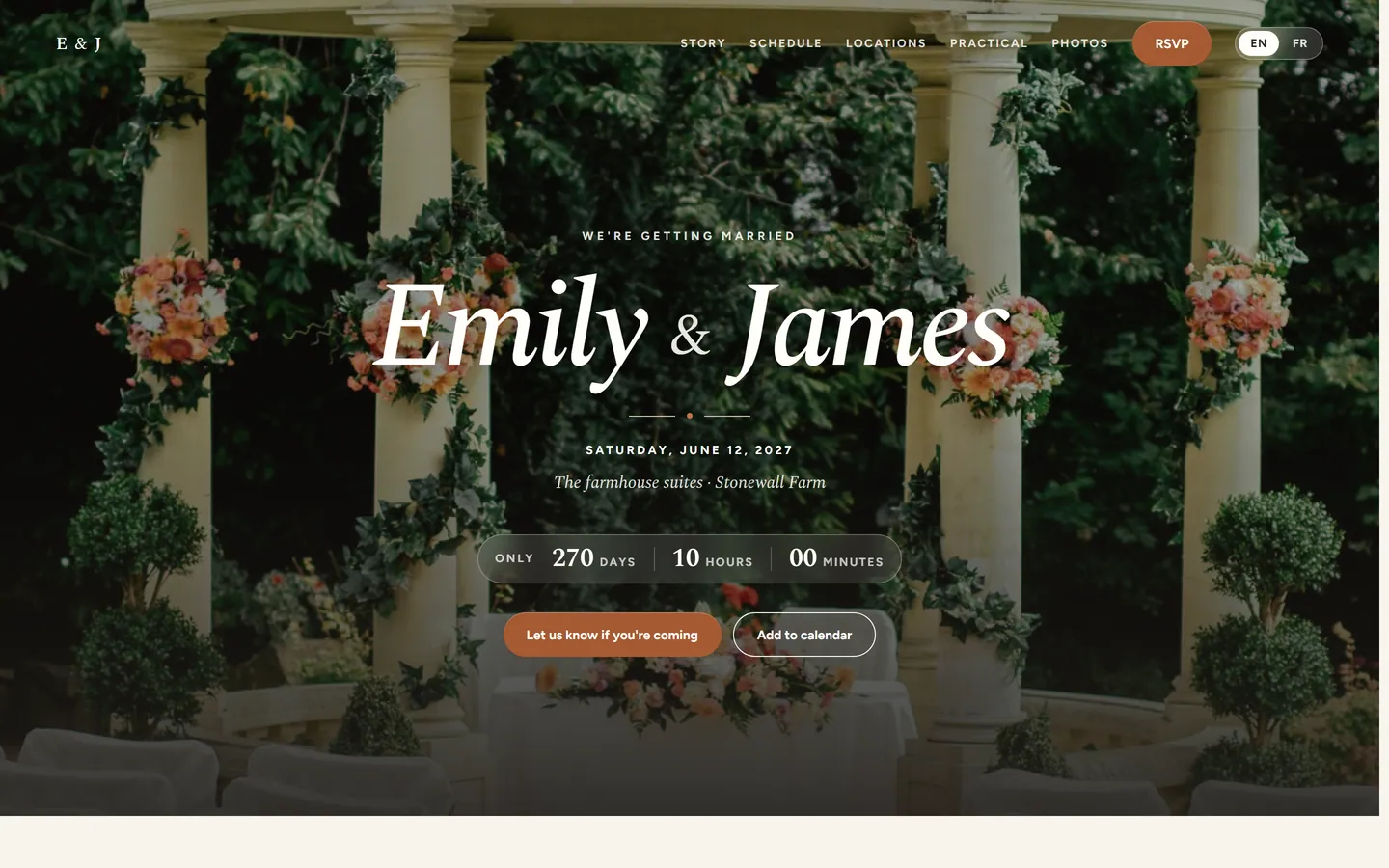
Captures from the demo wedding of Emily & James. Everything you see here, you can click through yourself in the demo.
What the one-time price stands for.
One payment gives you the whole app for your own wedding, through the day itself. What is possible without a payment sits right next to it.
Included
- The plan with tasks and deadlines
- Guest list and RSVP
- Budget and vendors
- Day-of timeline and seating
- Your wedding website online
- Emailing invitations and reminders
- The caterer list with dietary needs
Without a payment
- Looking around the demo wedding
- Exporting your data
- Deleting your account
Features are not the goal. A calm engagement is.
Two maps that tell your story.
Your wedding website does more than schedule and RSVP. Two sections are about the two of you: the night sky above your moments, and the place where it began.
Star maps
The real night sky above the moments that matter to you: your births, the night you found each other, the proposal, or the wedding day itself. Each map is calculated astronomically for the date, time, and place; not a single star is invented. Guests browse through them on your site, and you can download or print every map as a sharp file.
Where we met
The place where you met, as a quiet map next to your own story: the coffee shop, the lecture hall, or that one friend’s birthday. You choose the map style, the marker, and exactly the framing your guests get to see. On the site the map is pure image, without buttons or links that pull guests away from your site.
One considered house style, carried through everywhere.
No theme picker and no fuss: Wedding Overview comes in one warm look, Boho Terracotta. It carries automatically from the app to your public wedding website and your stationery, so planning and presentation stay one whole.
- Applies to
- App, website, and stationery
- Sections
- Schedule, locations, RSVP
- Languages
- English and French
- Privacy
- Access code
- Setup
- Nothing needed
Guest details deserve care.
RSVP sometimes carries sensitive information, such as dietary needs, allergies, or accessibility. Wedding Overview is set up with private routes, consent, and protected information as the starting point.
No ads. No selling data. Guest details are only visible to the people you allow. We do not sell them and we do not use them for advertising. They only go out when you send them yourselves, such as the export for your caterer. Who we share data with is in ourprivacy policy.
Good to know.
Do we have to use every feature?
Can guests respond without an account?
Can the two of us plan together?
What exactly are we paying for?
Can we have our emails approved before they go out?
Is this meant as full bookkeeping?
One calm place for your whole wedding.
Guest list, budget, day-of timeline, and your wedding website in one place. $99 once, no subscription.